Layering and Weave
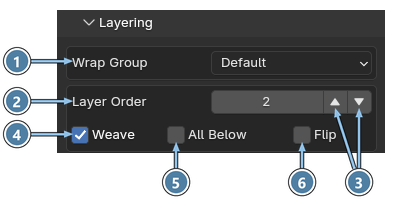
Wraps can lie on top of other wraps. The Layering section decides which wrap goes on top, and lets ropes weave over and under each other.
- Wrap Group. The group this wrap belongs to. Wraps stack on wraps of the same group, and on wraps of other groups when the groups interact. See Wrap Groups.
- Layer Order. Higher numbers go on top of lower numbers.
- Move up / down. Moves the wrap one layer up or down. Ctrl+Click makes it the highest or lowest layer.
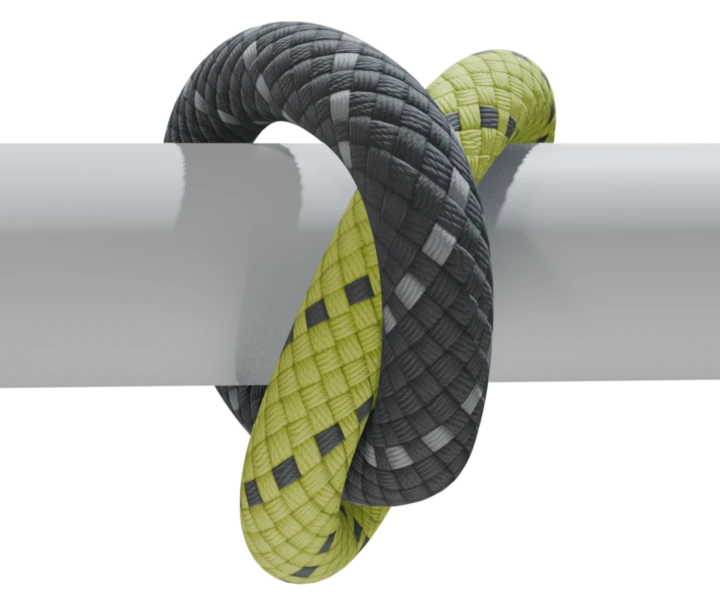
- Weave. Ropes only. The rope goes over and under the rope below it, instead of lying on top.
- All Below. Weaves through all ropes below, not just the next one. Slower to update.
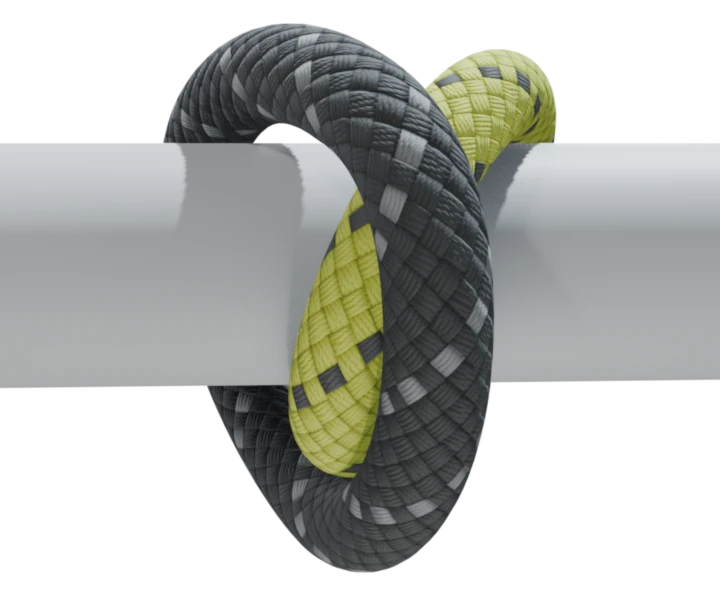
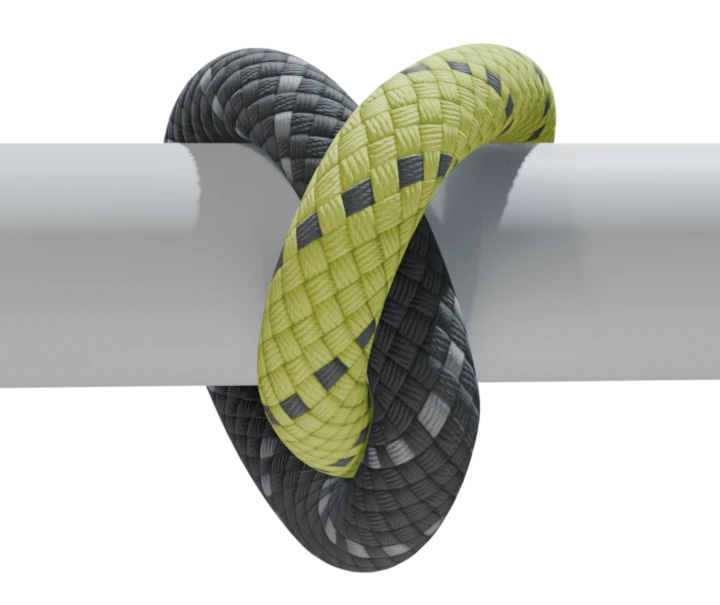
- Flip. Swaps the crossings: where the rope went over, it now goes under.
Layer Order and Weave turn grey when the group has Don't Interact with Each Other turned on.
Layer order
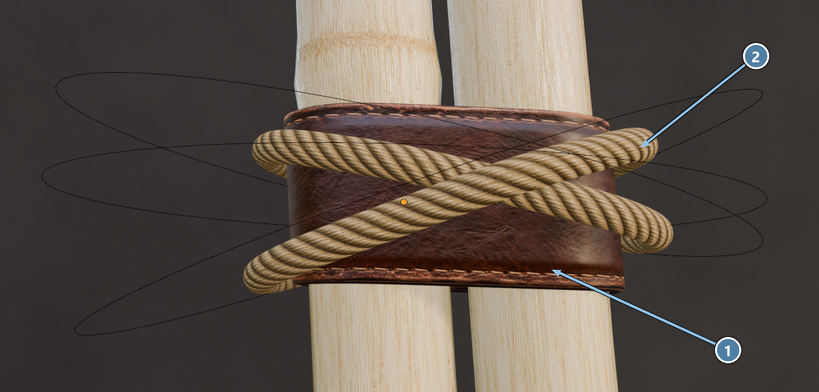
- Lower layer. The leather strap has the lowest Layer Order. It lies right on the bamboo.
- Upper layers. The ropes have a higher Layer Order. They go over the strap.
Weave
Weave is made first of all to imitate knots. A rope with Weave on crosses the rope below it the way tied ropes do: over, under, over. It is very hard to do by hand and takes one click here.
Info
Weave works only between ropes of the same group. Straps don't weave. They always lie on top of the wraps below them. A strap between two ropes stops the weave: the rope above it lies on the strap, and All Below weaves only down to the nearest strap.