Shape
The Shape section sets whether the wrap is a rope or a strap, how big it is and how much geometry it has. The settings change with the shape. The mesh is made of clean quads, so it is easy to sculpt, subdivide or export.
Rope
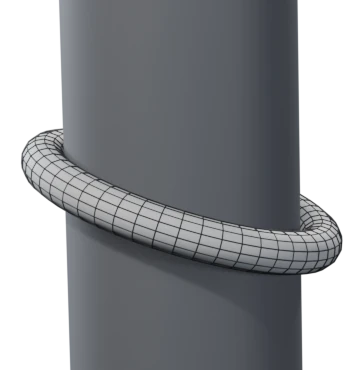
A round rope or cable. It is built as a curve with a round profile.
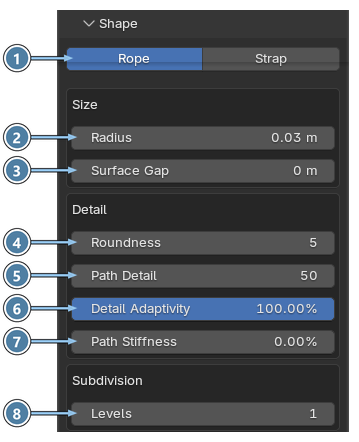
- Rope / Strap. The shape of the wrap. You can switch at any time.
- Radius. How thick the rope is.
- Surface Gap. The distance between the wrap and the objects. Increase it if you see small overlaps on rough surfaces.
- Roundness. The number of loops around the rope. More loops make it rounder.
- Path Detail. The number of loops along the wrap.
- Detail Adaptivity. Puts more loops into sharp bends and fewer on straight parts. The total stays the same.
- Path Stiffness. Makes the rope bow outward between objects like stiff wire, instead of pulling straight.
- Levels. The subdivision level of the wrap.
Path Stiffness
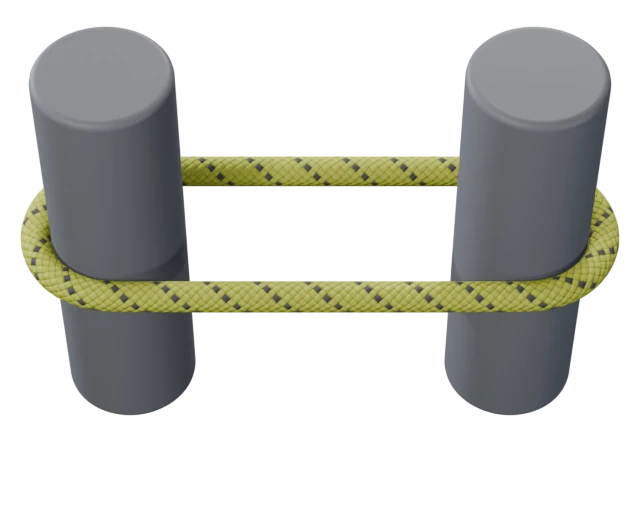
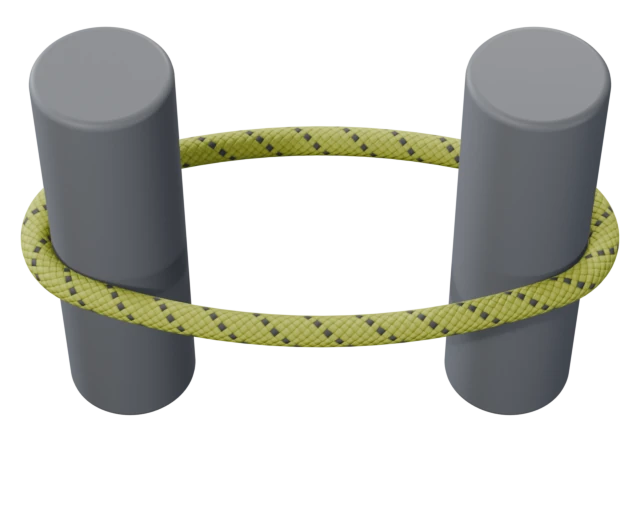
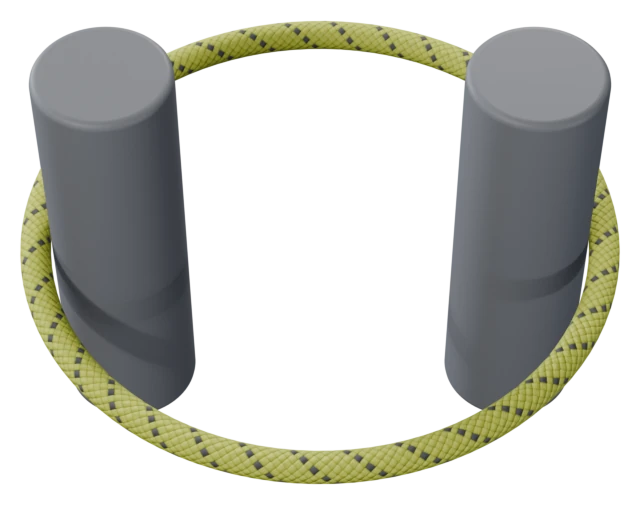
By default a rope pulls straight between the objects, like a tight cord. Path Stiffness makes it bow outward like stiff wire. At 100% it becomes a circle.
Strap
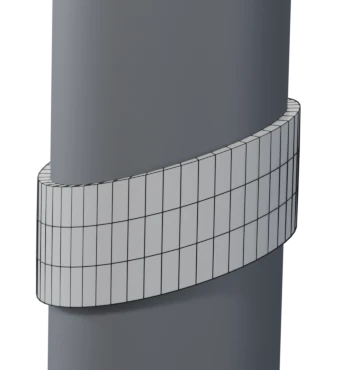
A flat belt or tape that lies flat against the surface. It is built as a mesh with thickness.
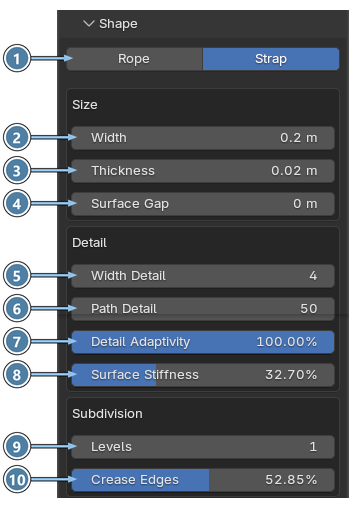
- Rope / Strap. The shape of the wrap.
- Width. How wide the strap is.
- Thickness. How thick the strap is.
- Surface Gap. The distance between the wrap and the objects.
- Width Detail. The number of loops across the strap. Increase it when the surface changes a lot under the strap.
- Path Detail. The number of loops along the wrap.
- Detail Adaptivity. Puts more loops into sharp bends and fewer on straight parts.
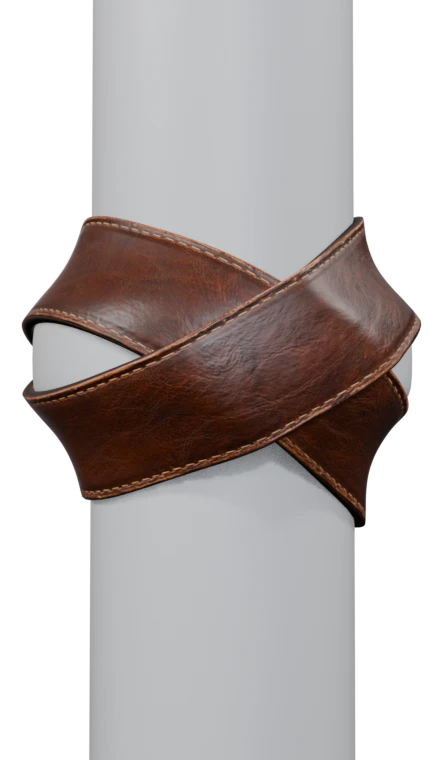
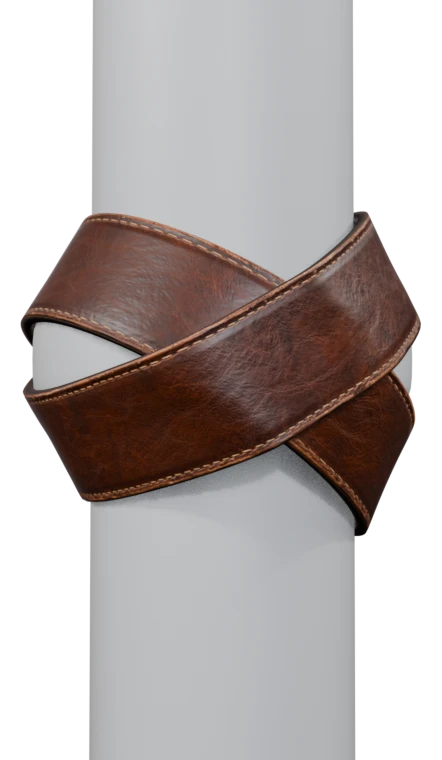
- Surface Stiffness. Bends the strap like stiff leather: it bridges dips and keeps its edges up over ridges.
- Levels. The subdivision level of the wrap.
- Crease Edges. Sharpens the four outer edges of the strap. It appears when Levels is above 0.
Surface Stiffness
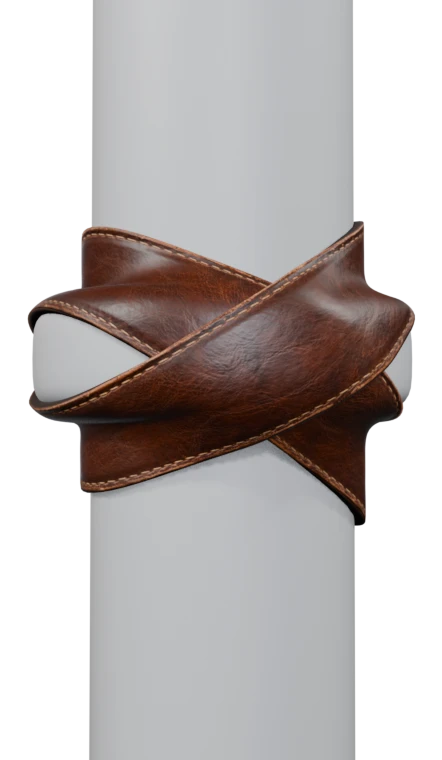
This setting controls how stiff the strap is. At 0% it follows everything under it closely. At 100% it keeps its section as straight as it can.
Heavy wraps
When a wrap gets very heavy, the Subdivision box shows a warning with the estimated number of faces, for example About 1.2M faces, may be slow. Lower Levels, Path Detail, Roundness or Width Detail to make it lighter.
Tip
Keep the detail low while you place wraps, and raise it at the end. Your settings are kept when you switch between Rope and Strap, so you can switch back without losing them.